Mobile Expense Management
PerksPe simplifies the reimbursement process by enabling employees to submit expense / claims, upload receipts, and track their approval status directly from the mobile app. Once an expense is approved by the designated reviewer, the reimbursement is processed and credited to the employee. On iOS, AI-powered OCR automatically extracts receipt details and fills in the expense form, reducing manual entry.
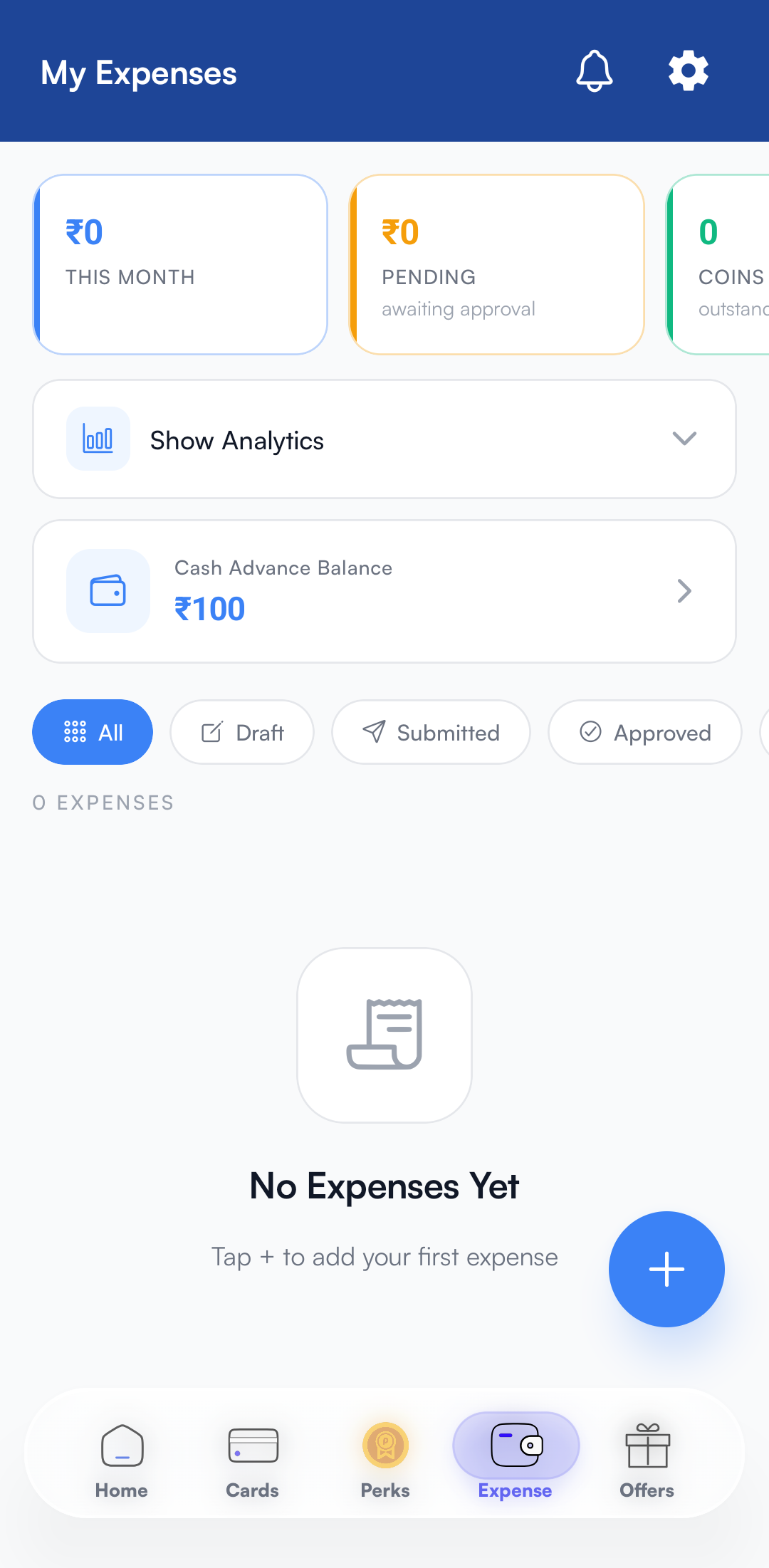
Expenses are business-related costs paid out-of-pocket that require reimbursement from your organization.
Rapid Reimbursement
Receive approved expense funds directly to your PerksPe card.
Digital Library
No need to keep physical receipts; all records are stored securely.
Travel
Airfare, train tickets, and local commute.
Meals
Business lunches and travel-related food.
Remote Work
Internet bills and office supplies for home setups.
Communication
Monthly mobile plans and data packs.
Method A: Manual Receipt Scan (Standard)
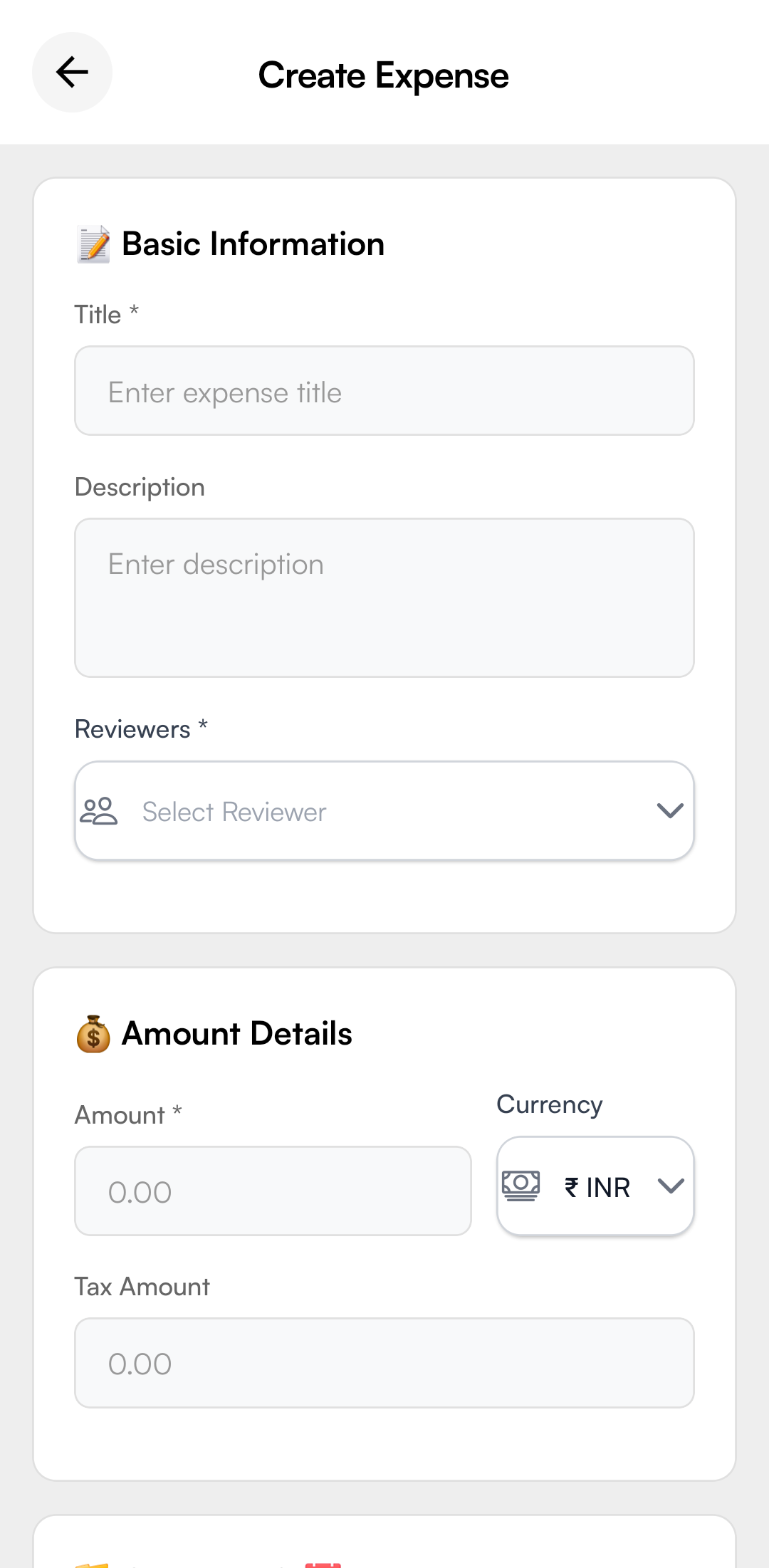
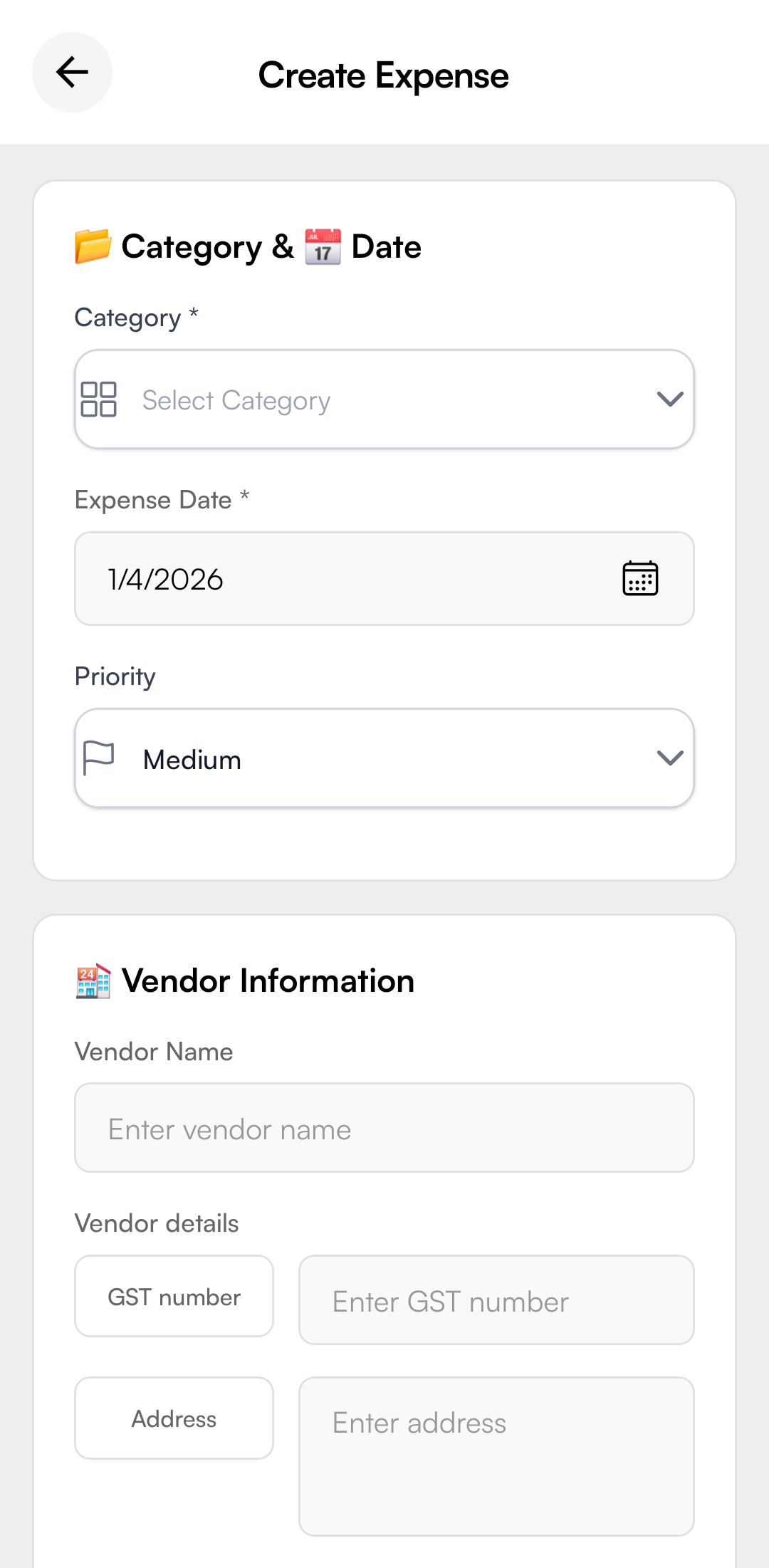
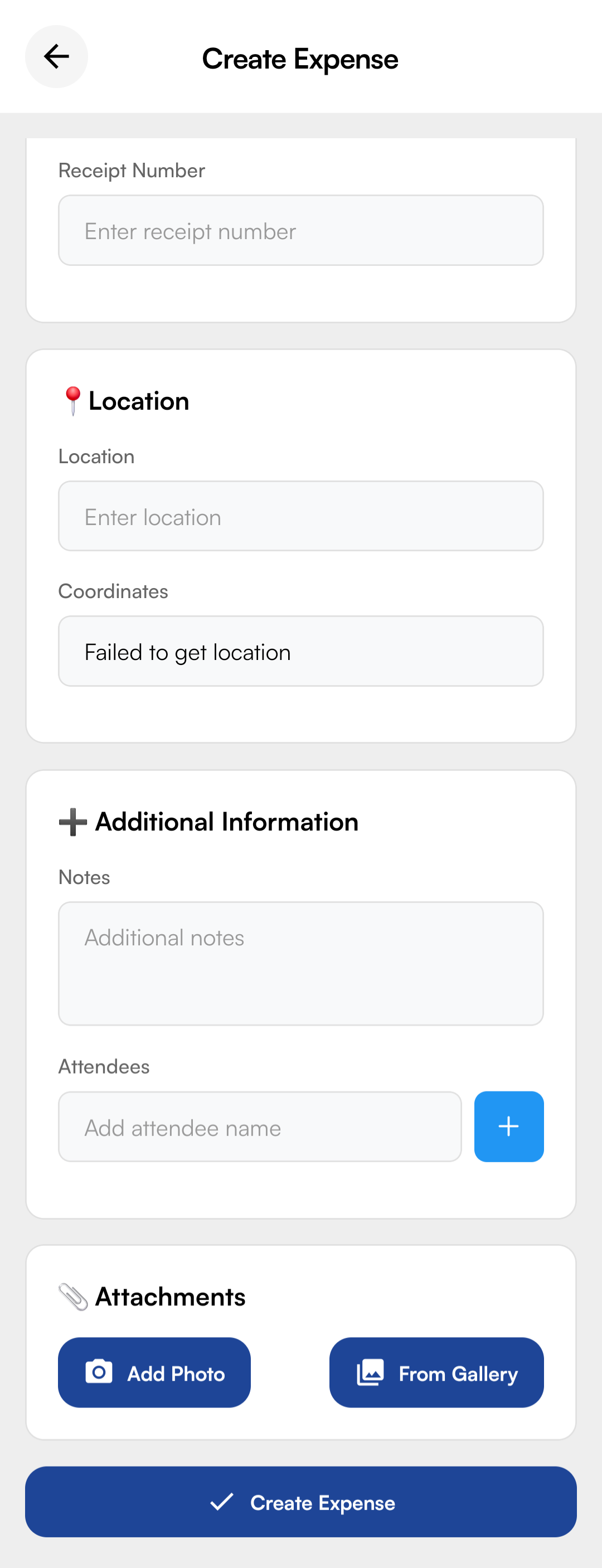
Method B: From Transactions (Quick Claim)
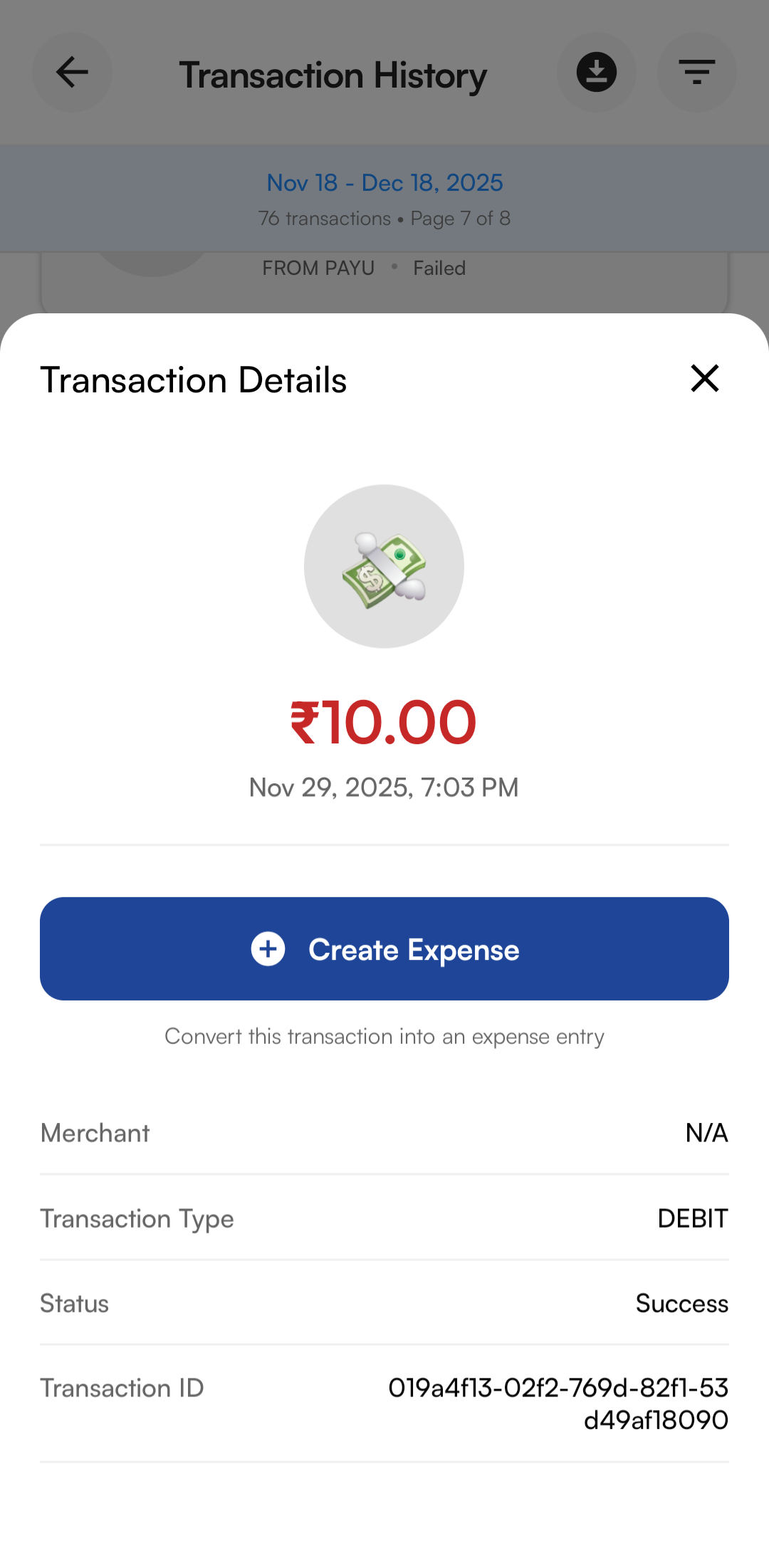
If you used your PerksPe card for an out-of-policy item that needs to be claimed:
- Go to your Transaction History.
- Select the specific DEBIT transaction.
- Tap Create Expense. The app will auto-fill all transaction details.
4. My Expenses Screen
View all your submitted expenses with quick status indicators and filters.